![mursion_mark_full-color_standard_1000pxw.png]](https://support.mursion.com/hs-fs/hubfs/mursion_mark_full-color_standard_1000pxw.png?height=28&name=mursion_mark_full-color_standard_1000pxw.png)
This article applies to users of the Pathway experience.
If you are using the legacy dashboard experience (blue navigation header), click here for information about viewing your session reports.
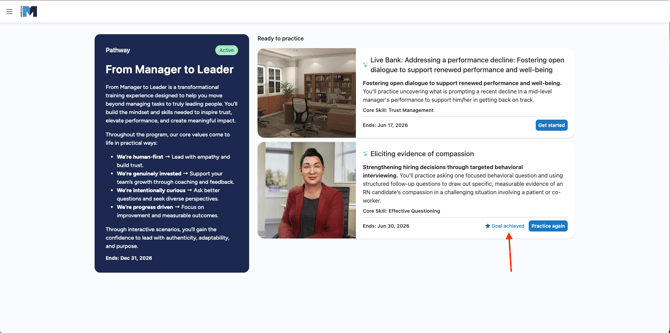
- From your Pathway page, each scenario card displays an indicator showing the outcome of your most recent session. Click this indicator to open the session report directly.
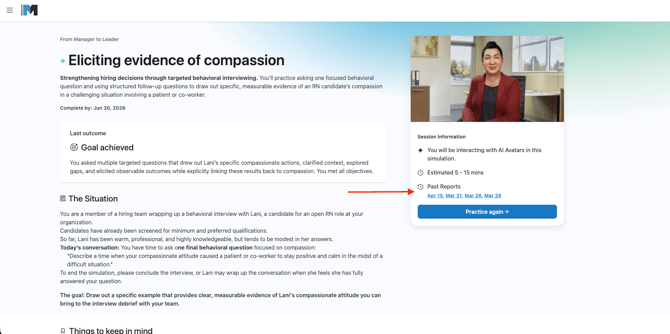
- You can also access session reports from the scenario details page, where you’ll see a list of previous attempts with links to each available report
- If you have completed the session multiple times, the report page will display tabs at the top for each available report attempt.
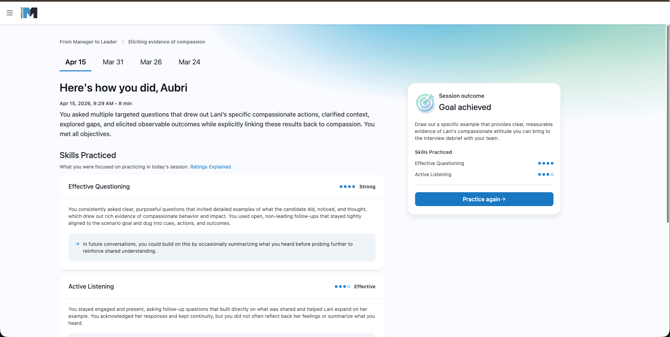
- Within the report, you can review:
- Feedback on your overall performance
- Feedback for each skill evaluated during the scenario
- A session recording, key moments where you demonstrated skills, and transcript at the bottom of the page
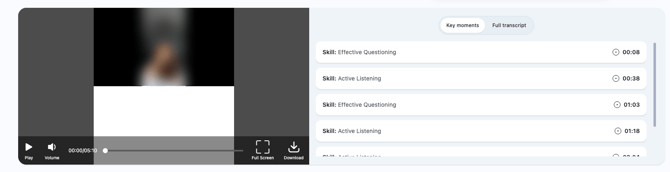
To download the session recording, click the Download button within the video player.
Note: The ability to download reports and transcripts will be available in a future update.