![mursion_mark_full-color_standard_1000pxw.png]](https://support.mursion.com/hs-fs/hubfs/mursion_mark_full-color_standard_1000pxw.png?height=28&name=mursion_mark_full-color_standard_1000pxw.png)
This article applies to joining AI-powered simulations. If you are looking for information about joining a human-powered simulation, click here.
-
Navigate to the scenario you would like to start.
- From the scenario page, click Practice to begin.
- Your browser may prompt you to allow camera and microphone access. Select Allow to continue. If needed, you can choose a different microphone or camera using the device dropdown menus.
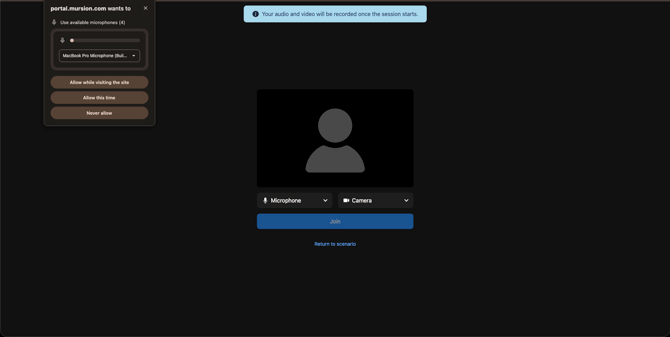
- Once permissions have been granted, click Join.
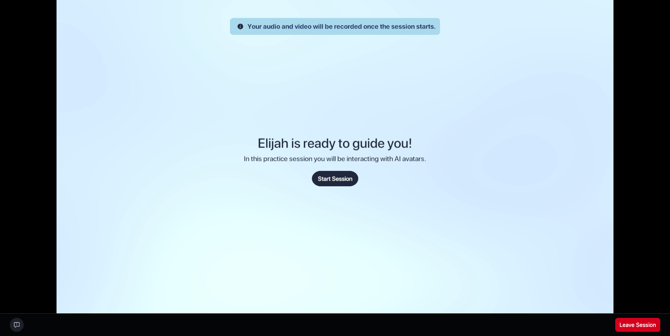
- You will then enter a loading screen while your session prepares. When the session is ready, a Start Session button will appear for you to begin.
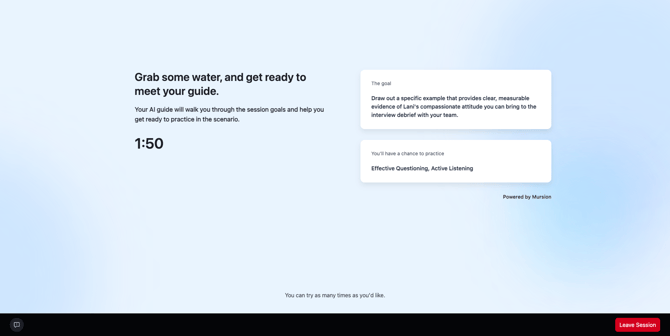
- Clicking Start Session will take you into your session with your host avatar.
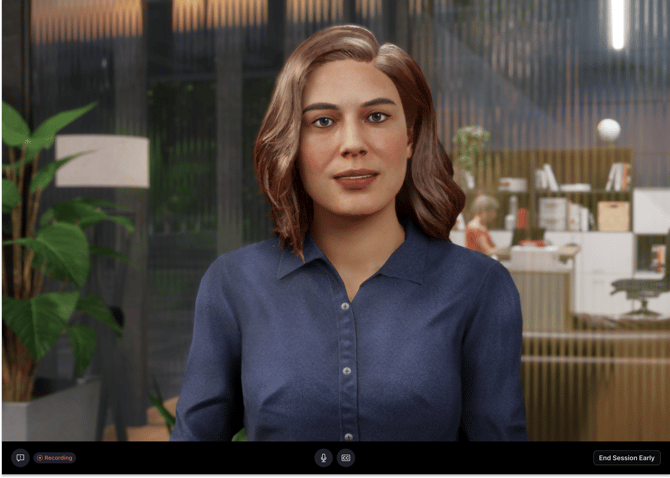
- Your host will walk you through the experience. During the session, you can:
-
Enable Closed Captions by clicking the CC button at the bottom of the screen
-
Mute or unmute yourself using the microphone button
-
Leave the session at any time by clicking End Session Early
-
-
After your simulation ends, you will be taken to your session report page. Click here to learn more about reviewing your session reports.
If you opt to end session early before the AI avatar ends the simulation, you may not receive your feedback report after the session.